
Journals and resource links
Independent chapters, page access, campaign references and portable journal content.
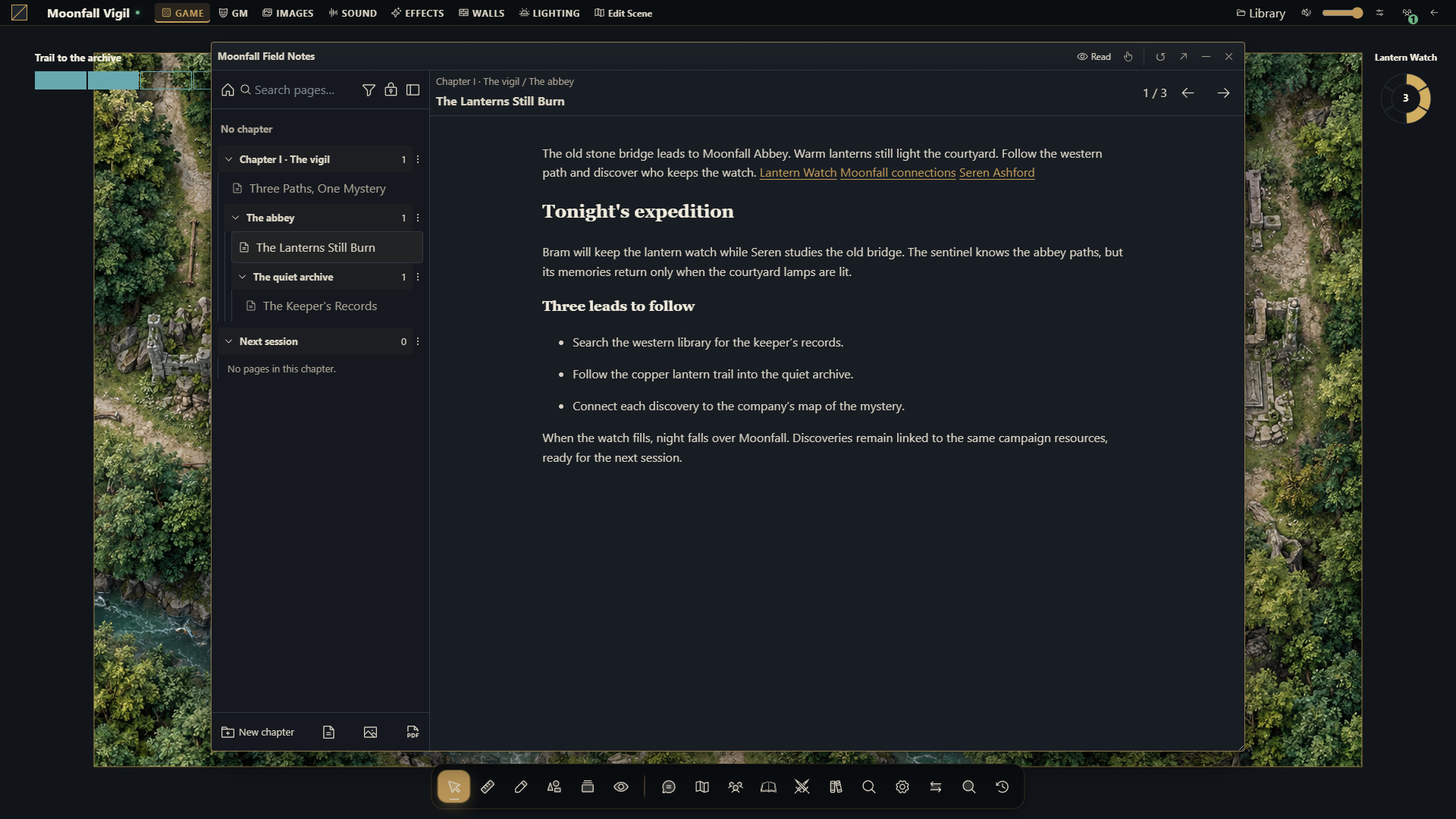
Open Journals on the table or in the campaign manager. The manager edits the campaign's existing documents without joining the table. Diaries, pages, quests, quest boards and roll tables retain their native editors, attachments and access controls.
On narrow screens, use Collapse pages to leave more room for the document. Show pages restores the page index.
Rename a page from its heading
While editing a page you own, click its name in the document header, or focus the name and press Enter or Space. Type a name of up to 120 characters. Enter or leaving the field confirms and saves it; Escape cancels. An empty name keeps the previous title. Renaming preserves the page's contents and links. Read-only pages and reading mode do not offer this control.
Chapters and subchapters
Chapters organize a diary independently of its pages. A chapter can be empty, contain several pages and contain subchapters. Each page belongs to at most one chapter; pages can also remain outside every chapter.
Choose New chapter to create an empty chapter. Its form lets you name it and choose a parent chapter. A chapter's actions also provide New subchapter, Edit chapter, sibling ordering and Delete chapter. Editing a chapter can change its name or parent without changing its identity or the pages it contains. The parent selector excludes relationships that would make the hierarchy circular.
Use a page's Move to chapter action to choose its chapter or No chapter. Deleting a chapter keeps its pages outside any chapter and moves its immediate subchapters to the deleted chapter's parent. Deleting a page remains a separate operation. Existing category groups become chapters when an older diary is opened; their pages and links remain in place.
The hierarchy follows the diary's existing access controls. Players see chapters needed by their authorized pages, their ancestors and genuinely empty branches. A branch containing only hidden pages is omitted. Saving an editable public page preserves the private pages and chapter structure that the player cannot see. Reading and streamer access do not provide chapter editing controls.
A diary supports up to 128 chapters, eight chapter levels and 64 pages. You cannot remove a chapter that is still required by protected pages; existing page permissions continue to apply when reorganizing the diary.
Insert a campaign reference
Open a journal or page that you can edit and place the cursor in its rich text.
Type @ at the start of a paragraph or after a space. Search by name and use Resource type to narrow the campaign catalog.
Select a resource and choose Add link. The reference is inserted at the cursor and saved with the journal's other changes.
Open the reference. Characters, items, journals, individual pages, scenes and mind maps open in their native sheet, document or editor after checking access. Other resource types show a current preview with native controls where available.
The empty editor shows Type / to insert blocks or @ to insert references. / continues to open the block menu. Confirming a reference replaces the typed @; cancelling the picker leaves it as ordinary text. An @ inside an email address does not open the picker.
The catalog covers the campaign resources available to your account, including characters, items, journals and individual pages, scenes and their resources, clocks, clues, mind maps, files, audio, cards, compendiums and preparation tools. Some resources exist only when their feature or system package is available. Quests and other journal types appear with the journal resources. Selecting an individual page keeps its page destination.
References point to existing resources. They do not copy a sheet or grant access to its contents. Authored journal text and resource names keep their original language. Existing journal hyperlinks and links to individual pages continue to work alongside the campaign reference picker.
Access and unavailable resources
A shared journal can contain a reference to a resource that only the GM can read. Each recipient receives the reference according to the target's own permissions. An unavailable target displays Unavailable resource; its private name and identity are omitted from the recipient's projection.
Changing a resource's visibility or deleting it can make an existing reference unavailable. Opening a reference checks access again. Saving an otherwise editable journal preserves existing unavailable references, so a player can update their notes without removing the GM's hidden connections. This does not allow the player to insert a guessed private target or change its permissions.
Journal ownership still controls who can edit its rich text. Reading a journal does not grant editing rights, and streamer access remains read-only. GM notes, private pages and hidden content keep their existing audience restrictions.
Save and recovery
Journal changes use the existing save and conflict handling. Keep the window open when a save fails, review the displayed error and resolve a version conflict before replacing the saved document. Refreshing the page reloads authorized server state.
Campaign archives and snapshots retain references along with the journal's structured text. Included targets are remapped to the copied campaign's resources, including individual page destinations. Referenced resources must also be included when transferring content to another campaign; omitted targets remain unavailable instead of binding to an unrelated resource. Use deployment and recovery for backups of the installation.
More screenshots for this guide (1)