
Blueprint examples for every object kind
Choose a complete recipe for door, lever, torch or region, then inspect execution/data connections and all 44 node types.
Choose an object kind
A Smart Object document has four accepted blueprint.kind values. A node’s type and a connection’s kind are separate contracts. This guide covers each with complete JSON, editor steps, expected results, validation and a task-specific AI prompt.
| blueprint.kind | Native states | Starting events | Complete example |
|---|---|---|---|
| door | closed, open, locked | interact, destroy | Door toggle with preserved lock |
| lever | off, on | interact, presence:enter, presence:exit, destroy | Visible switch and Empty Object |
| torch | off, on | interact, presence:enter, presence:exit, destroy | Turn and set flame |
| region | empty, occupied | presence:enter, presence:exit, destroy | First-entry/last-exit pressure plate |
Every kind can also receive a valid named signal:<name> graph. A region has no direct interact event. An Empty Object is a lever without an image, private to the GM. A composed torch owns a linked native light; there is no Blueprint kind named light.
Understand the three vocabularies
| Field | Values | Example |
|---|---|---|
| blueprint.kind | door, lever, torch, region | The torch owns off/on mechanism states |
| edge.kind | execution, data | Flow and typed values |
| node.type | 44 validated node types | One complete graph per node type |
The editor may label an event onInteract, onAreaEnter or onAreaExited. Stored graph/event IDs are interact, presence:enter and presence:exit. Use the serialized IDs shown in the examples. Do not recreate retired change or state-specific event graphs.
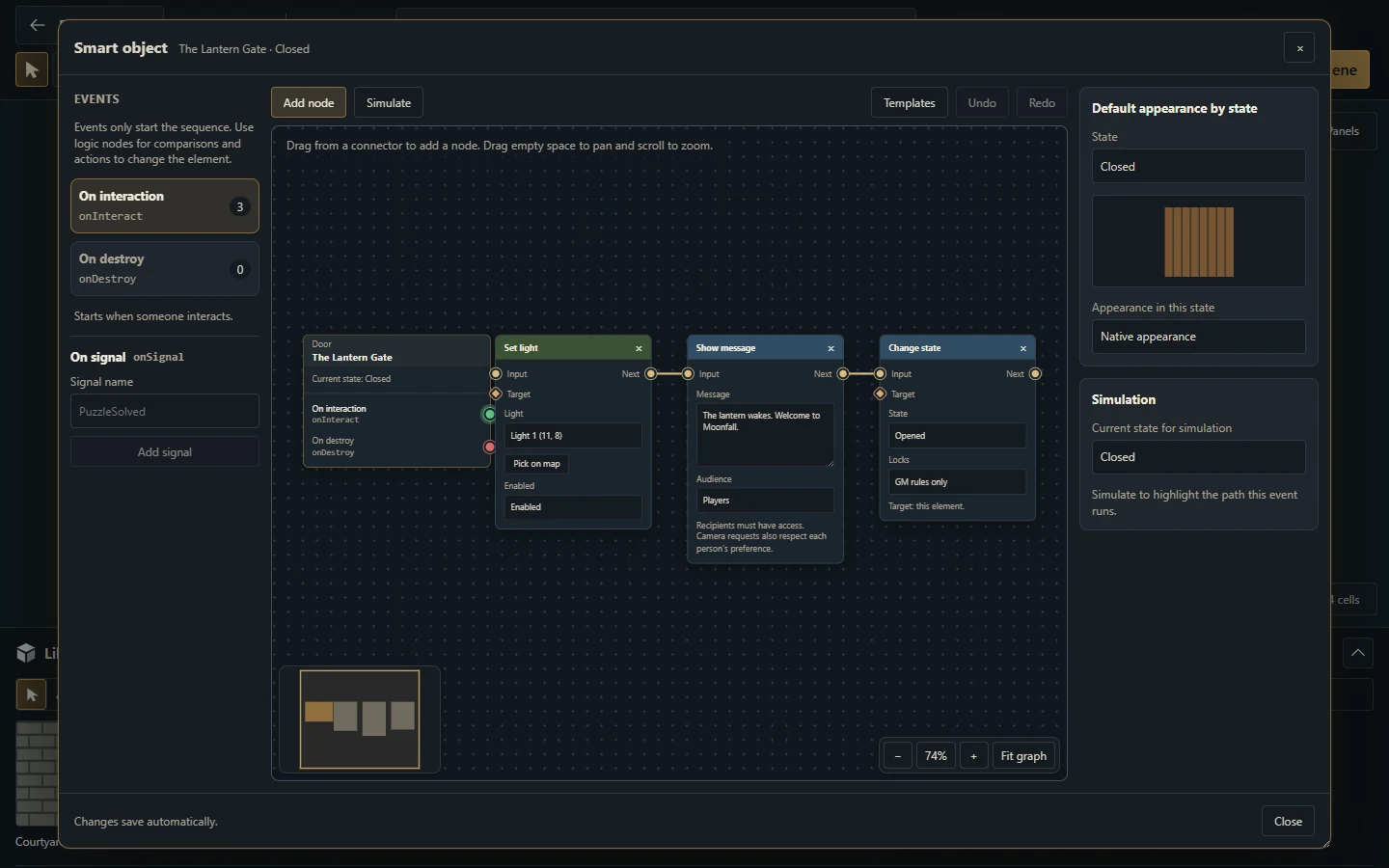
Existing Gravewright 0.3.0 screenshot, English interface. It shows the editor’s controls; the downloadable recipes below define their own graphs.
Get the examples
These JSON files describe the stored Blueprint v2 subdocument. They are development fixtures, not an installable module, a complete Builder project or a campaign archive. Recreate the nodes in the editor, or use the fixtures in isolated contributor tests. This guide does not assume a JSON import button in the Smart Object editor.
Download the complete example bundle or the validator. Every example uses original synthetic data. The host's internal Python evaluator is for source development; browser modules must use the public SDK.
Run the fixture in a development installation
Extract the example bundle to data/blueprint-examples inside a disposable checkout of the documented host. From the checkout root, run:
uv run --locked python data/blueprint-examples/check-examples.py --host .The checker configures an in-memory database, blocks database queries and calls the real clean_blueprint and evaluate_graph functions. It validates all four object kinds, both connection kinds and all 44 node types, including requestRoll and setQuestStatus. It checks both roll visibilities, all six quest statuses and continuing execution without drawing dice or changing journals. This verifies document shape and predicted actions. Test behavior is still needed to check real targets, authorization and the complete server chain.
Safe starting assumptions
An event only starts a connected execution path. It does not automatically toggle, change artwork or set a flame.
Conditions and properties read the state at the beginning of the event. Use explicit actions for changes.
Region occupancy comes from authoritative token commands and eligible presence filters.
Simulate predicts one graph locally. Test behavior checks the server chain with rollback. Generation/update and player activation are separate operations.
Source definitions and graph links remain GM-only. A player sees the authorized resulting presentation.
How to use AI to choose a kind
I am targeting Gravewright 0.3.1, source 0e91fef. Read blueprints.py and the Map Builder guide. My behavior is: [describe the trigger, visible object, state changes, targets and audience]. Choose among door/lever/torch/region and explain why. Start from the matching complete recipe. Preserve actual state and event IDs, execution/data ports and player permissions. Return complete JSON plus editor instructions and meaningful GM/player tests. Distinguish Empty Object from a new kind and composed torch from a light resource.