
Create a journal from a module, from scratch
Use the public create operation from a table.interface form and open the resulting private document.
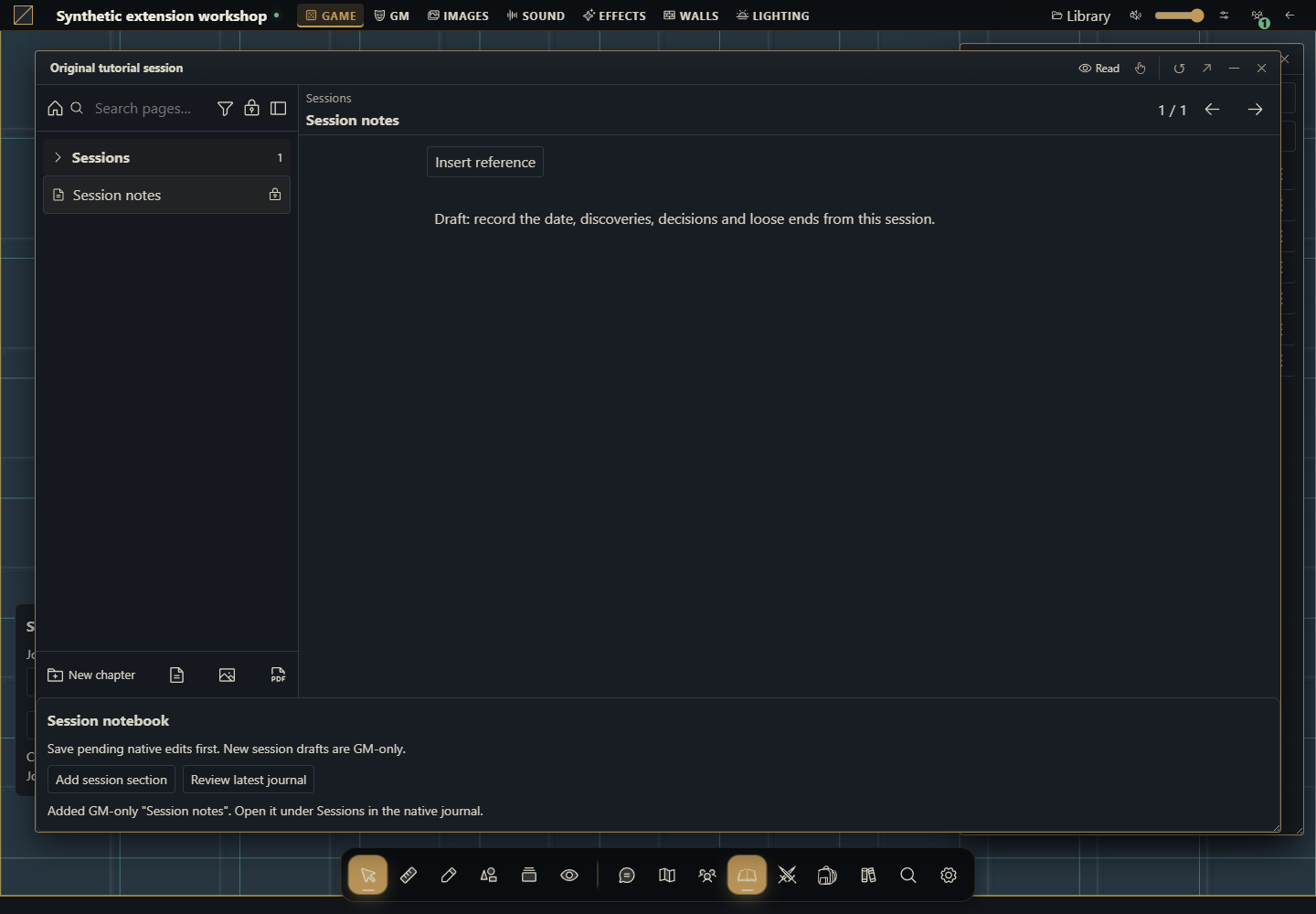
Create a journal through a normal module
Use the same Session notebook package without installing a second module. Start at the table with no journal open and create a persistent private document. Follow the complete journal module tutorial for the tree, source, ZIP, installation and activation.
Run it
Download the complete package, install through Modules as owner and Activate Session notebook1.0.0 under Gravewright → Extensions as GM.
Enter Lighthouse expedition in Journal title, then click Create session journal.
Wait for confirmation and open Journals. Lighthouse expedition appears at the root, empty and private.
Open it and choose Add session section to write the original first draft. Edit using the native editor and reopen the journal.
The concrete public call
This is the core of mountCreate, using api/context/signal supplied by the mount. The full package adds form validation, translations and duplicate-submit prevention.
const state = await api.journals.state({}, { signal });
if (signal.aborted) return;
if (context.role !== "gm" || state.is_gm !== true) throw new Error("GM required");
const result = await api.journals.create({
  title: "Lighthouse expedition", journal_type: "diary", folder_id: null
}, { requestId: crypto.randomUUID(), signal });
if (signal.aborted) return;
// result.journal_id identifies the created document; result.version is its revision.
Create does not add a package type named journal or accept initial data in this contract. To add content, read the full GM projection and call update as in the main tutorial. The creating account receives ownership access and the new document starts private.
Verify
Open a player account and verify the private journal is absent. Click once and confirm one document. Deactivate before the read completes and confirm create is never sent. If the create response is lost, inspect Journals before deciding to create another document. Never reuse the operation UUID for a different journal.
How to use AI to change creation
Adapt mountCreate in example.session-notebook to request an original title and an existing folder in Gravewright0.3.0. Verify folder_id and actual server permissions. Preserve the GM check, signal and one UUID per logical operation. Do not add data or invented manifest fields. Deliver complete code and tests for missing folder, another campaign and double submission.