
How to build and replace a complete system sheet
Use the working Example Expedition package, install it, create actors and verify linked and independent tokens.
Start with the complete system package
The Example Expedition package contains a complete original character/NPC sheet with a validated stamina field, its manifest, styles and license. Download that package rather than copying only a register call. Follow its exact file listings and ZIP instructions. This tutorial targets Gravewright 0.3.0 and adds no RPG catalog.
Install and create a campaign
As the installation owner, open Systems, Install system, Install from ZIP and choose the reviewed system-source.zip. Its manifest declares system.actorTypes, system.itemTypes and the browser entry.
As GM, create a disposable campaign and select Example Expedition as its system. Open the table and confirm the exact installed release is active. An unrelated add-on does not become a system by registering a sheet.
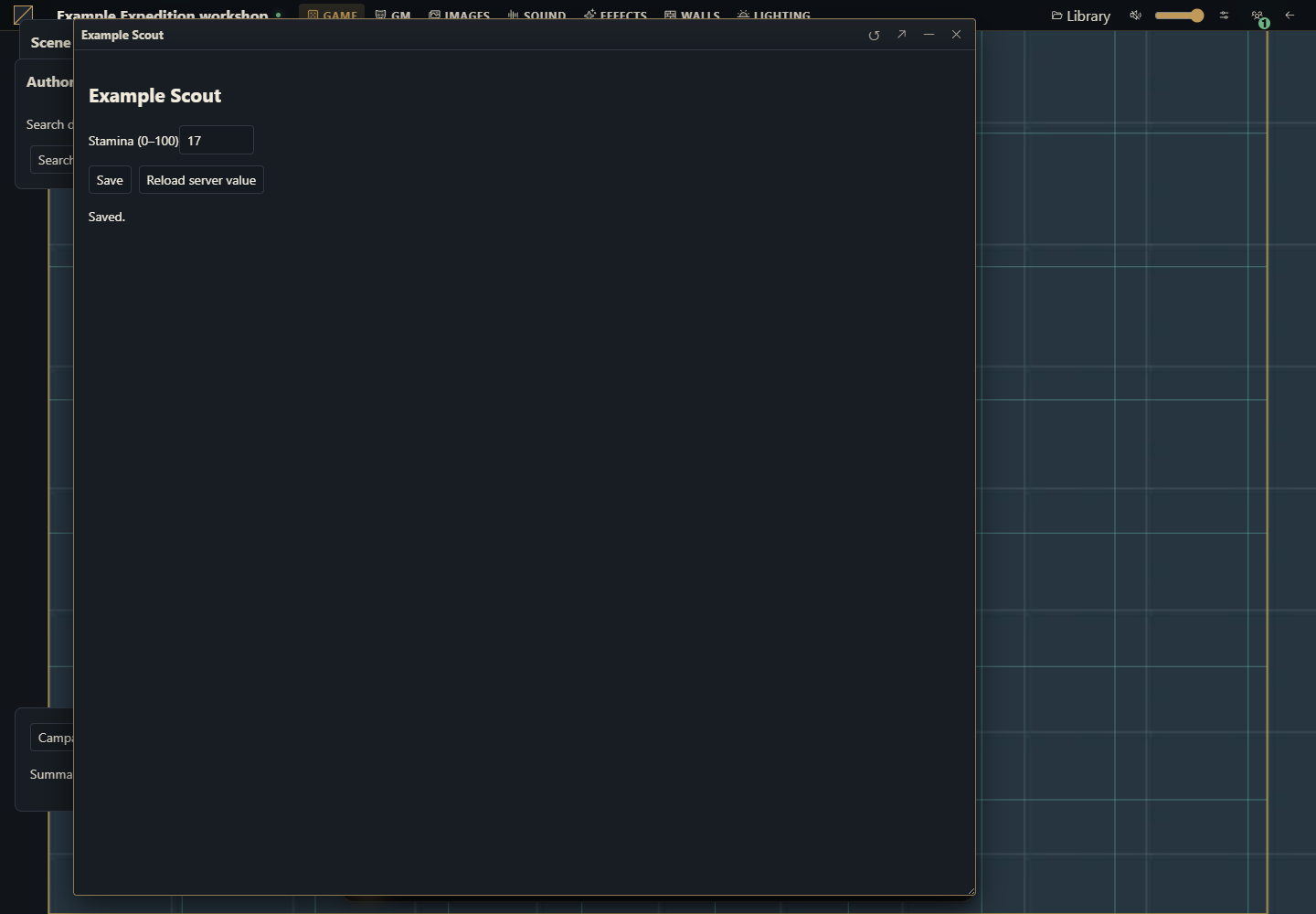
In Actors, create a character and an NPC. Open both. The package registers replace for actor.sheet and token.sheet, filtered to character and npc. The host provides the window title and controls; the package renders the complete body.
Exercise the complete editing flow
Enter stamina 17, save, close and reopen. Try empty, negative and greater-than-100 values; rejected drafts must not replace server data. Open a read-only player view. Create one linked and one independent token for the same character and change stamina separately. Linked sheets share actor data; the independent token uses its snapshot and its own sheetVersion. The package must preserve all other data and supply both revisions to saveSheet.
Choose the correct replacement
With no explicit competing preference, a matching campaign system sheet wins. A system may register disjoint types lists; omit types only when it implements every actor type. If two modules compete for the same surface, review the table replacement preference rather than assuming load order. Explicit token.sheet handles tokens; an actor.sheet replacement can be the system fallback for tokens when there is no matching token registration. Native UI is restored after a failed selected mount. Read the SDK rules.
Keep a rename add-on such as Sheet name action in augment mode. Two full replacements cannot display as one merged editor. Save the system sheet before using an add-on that sends its own complete sheet data.
Validate an update
Change the package version, rebuild and install the new ZIP, then explicitly activate the new release. Do not mutate installed bytes. Open old characters and both token modes, preserve stamina, test two-session conflicts and close while saving. A failure must keep the window open or restore the native surface, with an actionable diagnostic. Deactivation must abort reads and remove DOM/listeners. Keep this system’s assets, translations and automation in one package and use only host APIs available in 0.3.0.
How to use AI for a complete replacement
Use the full Example Expedition source package on Gravewright 0.3.0. Add one original sheet field and its validation while preserving character/NPC types, actor and token reads, revisions, native sheet-flush, permissions and disposal. Explain every changed file. Do not ship a placeholder replacement, split system rules into a companion package, import private host internals or upgrade the host. Verify create, edit, save, close, reopen, linked/snapshot tokens and conflicting sessions.