Build your map
Paint floors, draw walls and place doors, objects, lights and effects. Use your own layers or import a finished map as the background.
Universal VTT · Free and open source · Alpha

Your world. Your players. Your next great session.
Available now: 0.3.1 Alpha · Windows, Linux and macOS installers included
Your game, your tools · Independent systems, modules and PDF sheetsMap Builder · Updated in 0.3.1
Paint a map or import finished artwork, open object menus and start with 14 editable Smart Object models. Configure doors, sounds, dice requests and quest interactions, then bring compatible scene edits back into the project. Your work saves automatically while you prepare.
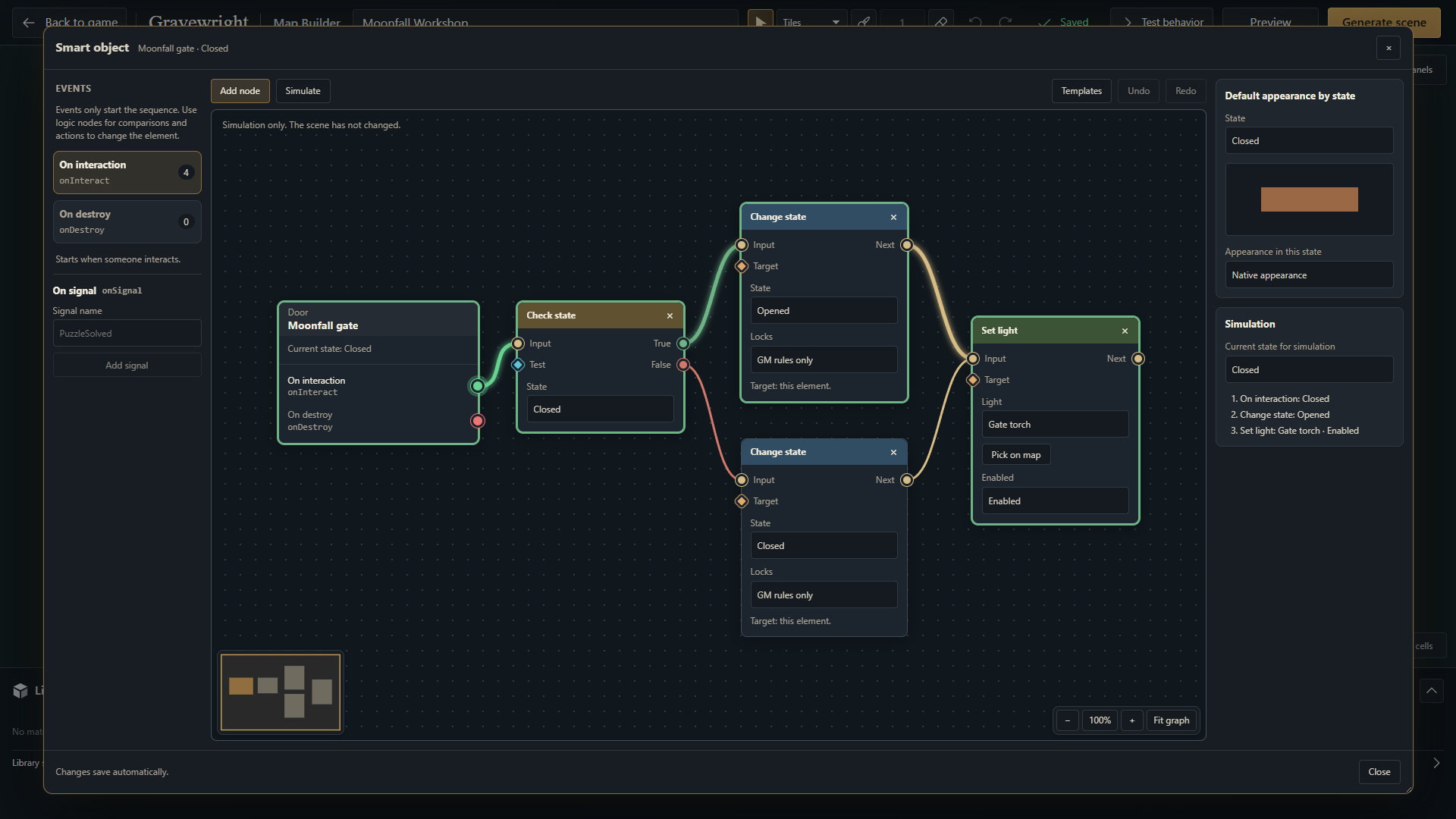
Paint floors, draw walls and place doors, objects, lights and effects. Use your own layers or import a finished map as the background.
Configure a chest, door control, dice prompt or quest interaction using 14 ready-made models. Customize their nodes and optional sound or artwork, then test the behavior before play.
Generate a GM-only scene or update its linked scene. Reopen the Builder or return to its tab to import compatible scene edits; activate the scene for players separately when ready.
Installation, campaigns, maps and running a session. Step-by-step product guides with real screenshots.
02 / For developers ↗Architecture, development setup, APIs, SDK, tests and distribution. The project reference, directly on the site.
03 / Practical AI guides ↗Copy prompts for creating extensions, investigating bugs and writing tests, with concrete validation steps.
One table, many ways to play
Prepare the places your group will explore, organize its discoveries and set the mood for the next scene. Gravewright brings the shared tools of an RPG session together; installed systems provide their own sheets and rules.
Build scenes with walls, lighting and fog, then choose what the party sees.
Open dedicated system sheets, keep a character’s resources close and send rolls straight to chat.
Keep journals, quests and handouts alongside the places and people they belong to.
Roll dice, play audio, draw cards and follow combat without changing apps.
Gravewright in action · Real application footage
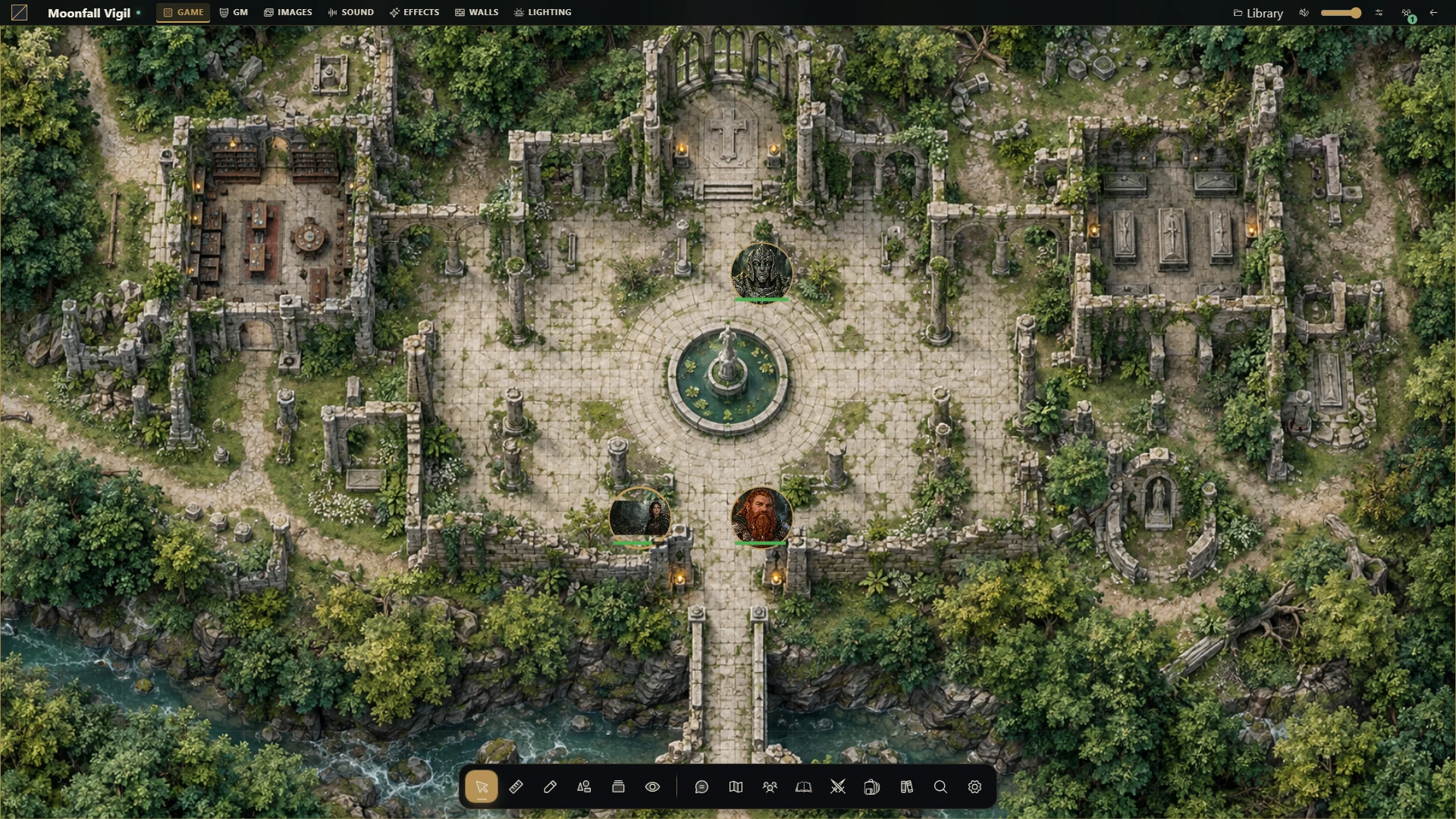
Explore Moonfall Abbey, move tokens, measure distances, open campaign notes and follow the next turn. The recording shows the real VTT in use, with a brief example of an optional system sheet.
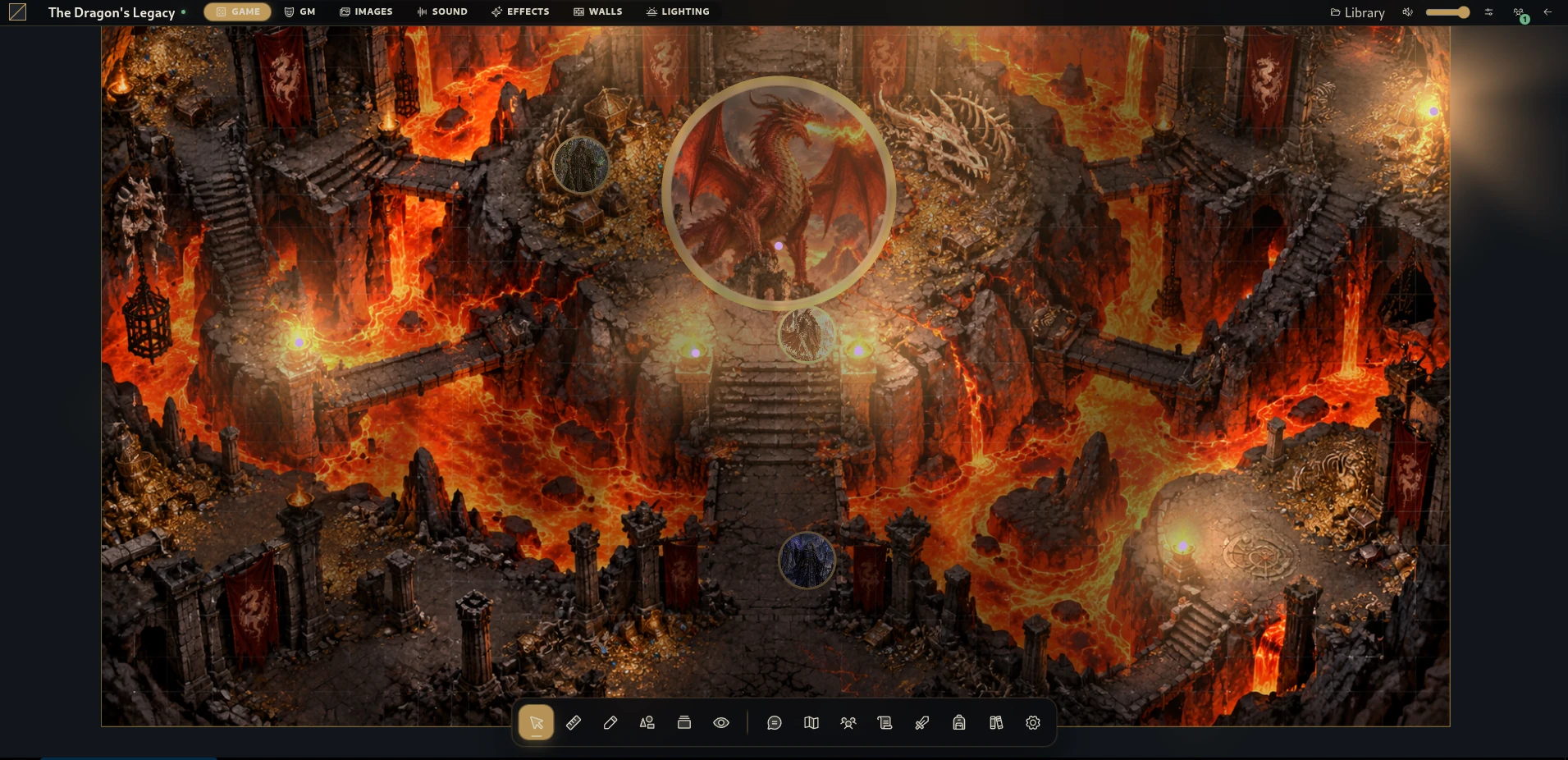 Another world to exploreExpand the preserved Dragon’s Legacy battle scene.
Prepare encounters, organize campaign notes and reveal the right scene when the party arrives.
Join your GM’s hosted table through the browser, open your sheet and play together.
Keep your characters, places and shared discoveries together between sessions.
Your characters, at hand
Bring a familiar PDF with the Gravewright PDF System, or choose a compatible system with its own sheets. Connect characters to tokens and keep their details within reach while you play.
The latest Alpha
From campaign setup to the next map interaction, Gravewright 0.3.1 refines forms, adds editable object models and brings compatible game edits back into Map Builder. Your campaigns, systems and tools still share one universal table.
Available release ↗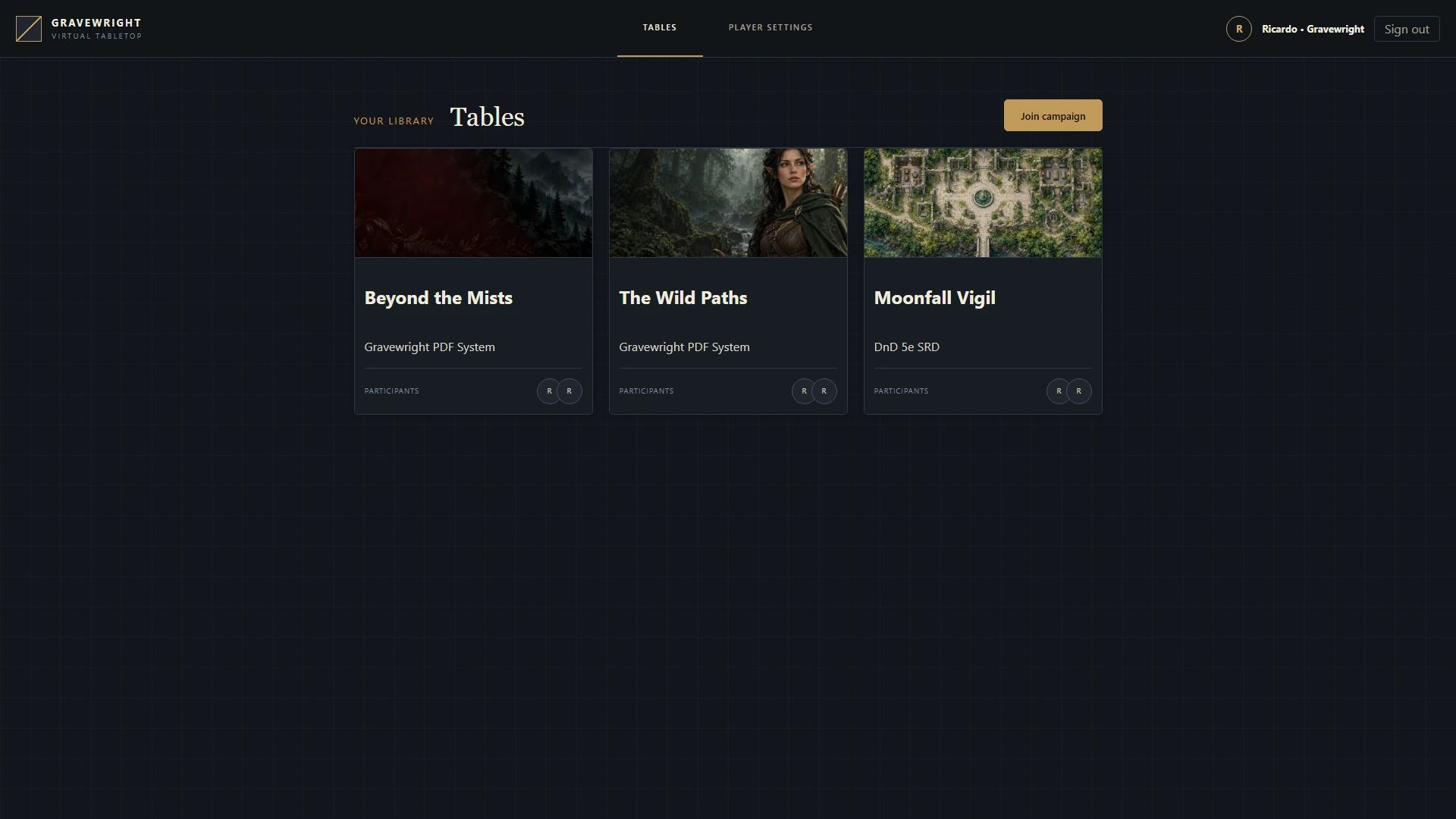
Choose a campaign cover by keyboard or drag and drop, preview it and remove a saved image. Forms across the host follow the same visual theme, with clearer focus and narrow-screen layouts.
Open object menus and choose from 14 editable behavior models. Ask players for dice rolls, open journals and update quest status through native scene interactions.
Import compatible edits from a generated scene into its Builder project. Continue preparing while preserving changes from play, with explicit recovery when edits conflict.
Marketplace categories and tag badges follow your selected Translator language. Search systems and modules using original or translated tags in English, Brazilian Portuguese or Spanish.
Start your campaign
Download the ZIP for Windows, Linux or macOS, run your platform’s installer and create your first table in the browser. Use the generated Runner whenever you are ready to play.
Windows x64 · Linux · macOS · Browser with WebGL
Extract the complete ZIP into a writable folder. The same download includes installers for Windows, Linux and macOS; keep its files together.
Run Install Windows.bat, Install Linux.sh or Install macOS.command for your platform. The installer downloads the tools it needs and prepares your local installation.
Start the generated Gravewright Runner for your platform, create your administrator account and prepare your campaign. Keep the Runner open while you play.
More ways to host
Prefer a server or a source checkout? Use Python 3.14 or newer and uv. The commands below use a POSIX shell and keep your existing configuration.
git clone https://github.com/Gravewright/gravewright.git
cd gravewright
uv sync --locked
cp -n .env.example .env
uv run --locked python manage.py migrate
uv run --locked python main.pyA universal table, shaped by you
Gravewright provides the tabletop. Independent systems bring game-specific sheets and rules; modules add tools such as translations and 3D dice. Use a compatible system or mapped PDFs for your group’s game, and build your own extensions through the documented API.
Choose English, Brazilian Portuguese or Spanish for your interface. The official translation API also serves compatible systems and modules.
Explore the module ↗See supported rolls as 3D dice and customize their colors, text and appearance.
Explore the module ↗Optional system example · Available in the Marketplace
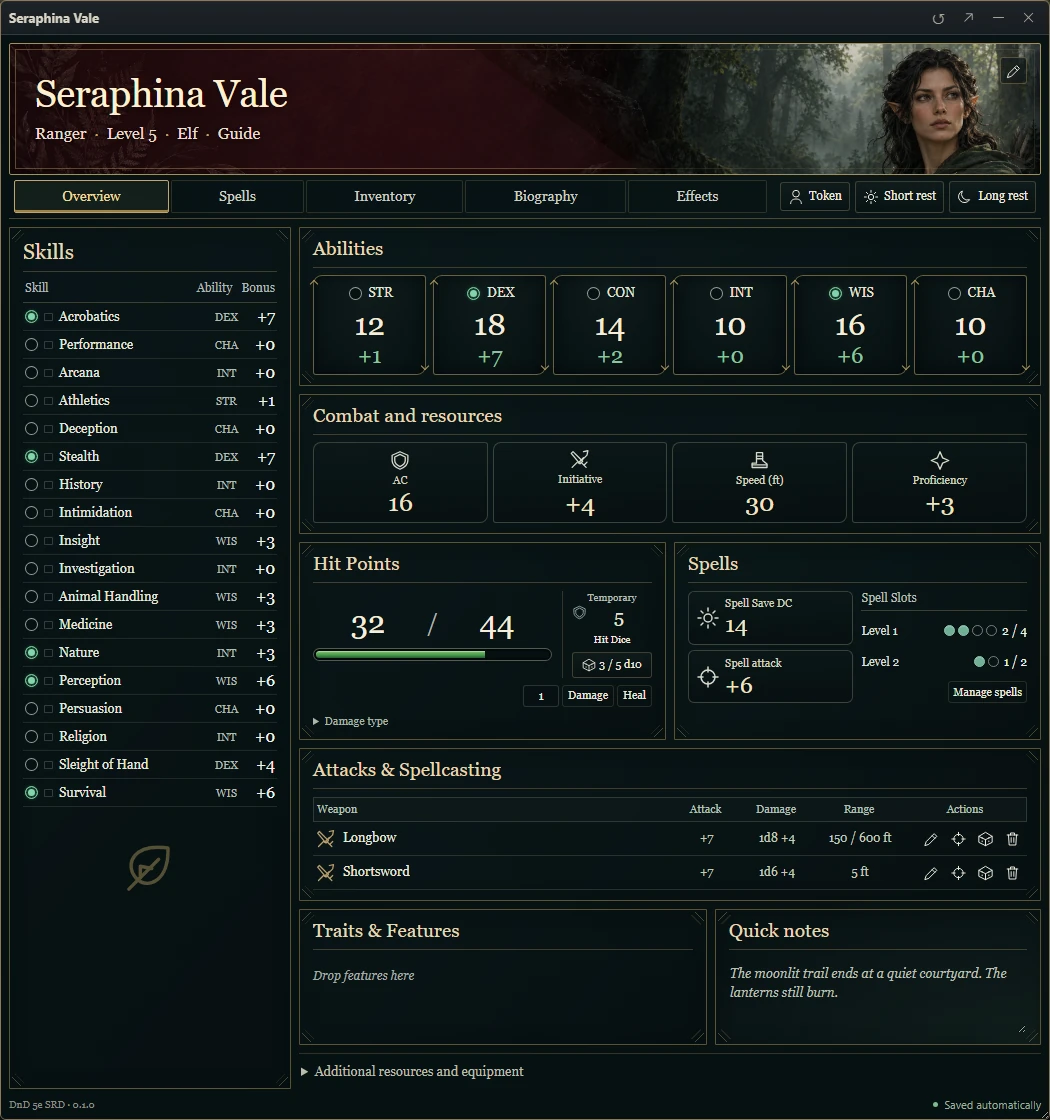
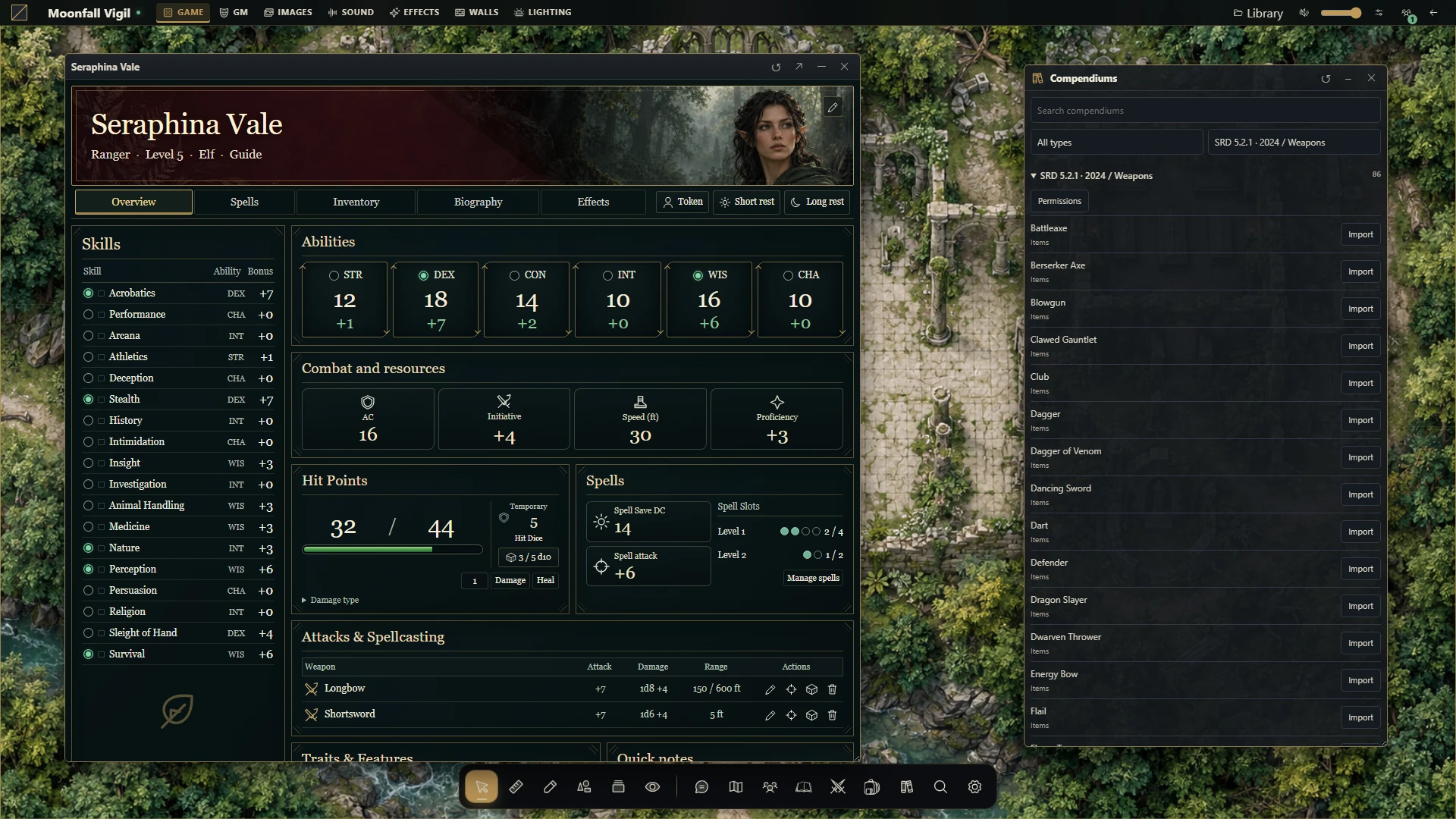
DnD 5e SRD is one independent system you can install in Gravewright. It adds dedicated sheets, licensed compendiums and supported automations for the 2014 and 2024 rules.
Partial SRD collections; compendium content is in English. Install DnD 5e SRD 0.1.2 as one package from Systems: sheets, compendiums and combat automation stay together. The GM advances combat from the table. Check the system’s installation guide for host requirements; its setup currently documents VTT 0.2.3.
Optional compatibility package · Available in the Marketplace
One system package brings free character and NPC sheets, 13 empty item templates and SWADE automation. Create your own campaign content and customize action decks and table settings.
No compendiums or rulebook text are included. Install version 0.1.2 as one package from Systems and select it for your table. The GM runs its combat automation from the table. English is built in; Portuguese and Spanish use Translator. Check the package’s installation guide for host requirements; its setup currently documents VTT 0.2.3.
Gravewright’s core uses GPL-3.0-only with an Independent Module Permission. Independently written modules can use any license, including a proprietary one. See the licensing policy for the full terms.
Read the licensing policy ↗Before you start
Gravewright is a universal VTT. Use a compatible system extension for dedicated sheets and automations, or map PDF sheets for your group’s game. Available rules support depends on the system you install.
Yes. Gravewright is free and open source. You host your installation and keep control of your campaign files. Third-party modules have their own licenses and terms.
Players join a shared server through their browser. The Runner starts locally on Windows, Linux or macOS; use the hosting guide to make your installation available to your group.
Install Translator from the Marketplace and activate its languages. Each user can choose English, Brazilian Portuguese or Spanish; Marketplace categories, tags and tag searches follow that choice. Documents and text written by your group keep their original language.
Your campaigns stay on your host. The default portable installation stores the database and uploaded media in the application folder; you can configure other locations. Stop the Runner and back up the database, media, configuration and installed extensions before an upgrade.
Yes. Gravewright 0.3.1 Alpha is available now. The ZIP includes installers for Windows, Linux and macOS. Systems and modules are installed separately. Keep backups of important campaigns and read the release notes before upgrading.
Paint maps, organize layers and add walls, doors, objects, lights and effects. Use object menus, choose from 14 editable behavior models or connect your own Smart Object nodes. Generate a GM-only scene, bring compatible scene edits back into the project and update its linked scene. Activating it for players is a separate action.
Yes. Import a finished image as a Builder background, then add your own objects and behaviors. Import Universal VTT files as separate native scenes with their grid, walls, doors and lights. UVTT cannot reconstruct editable Builder layers; export uses the current native scene, not an unpublished project draft.
DnD 5e SRD 0.1.2 is available as one package from Systems. It includes dedicated sheets, combat automation and partial licensed SRD collections for the 2014 and 2024 profiles. Check its installation guide for host requirements; the guide currently documents VTT 0.2.3. Other D&D books and official artwork are not included.
Get version 0.1.2 from Systems and select it for your table, following the package’s installation guide and host requirements. That guide currently documents VTT 0.2.3. Sheets, item templates, assets and automation belong to the same system package; no separate rules module is required.
Yes. Gravewright supports custom systems and modules with documented APIs. Install extensions from creators you trust; browser modules run inside the table page.
Built with the community
Tell us how Gravewright works at your table. Share an idea, report a problem or help improve translations, accessibility and documentation. Developers can also contribute to the core or create their own modules.
Make room for your next adventure